On this page
A walkthrough of how liandrejohn.com is deployed to AWS — Amazon S3 for storage, CloudFront as the CDN, Route 53 for DNS, ACM for HTTPS, and GitHub Actions for deployment, with IAM OIDC so no long-lived AWS keys ever sit in GitHub. The goal wasn't the most sophisticated pipeline; it was the smallest production-ready setup that still teaches the important pieces.
I could have used Vercel or another managed platform, but I wanted to understand the infrastructure behind the deployment and build something closer to how a production static site might be hosted. The final setup looks like this:
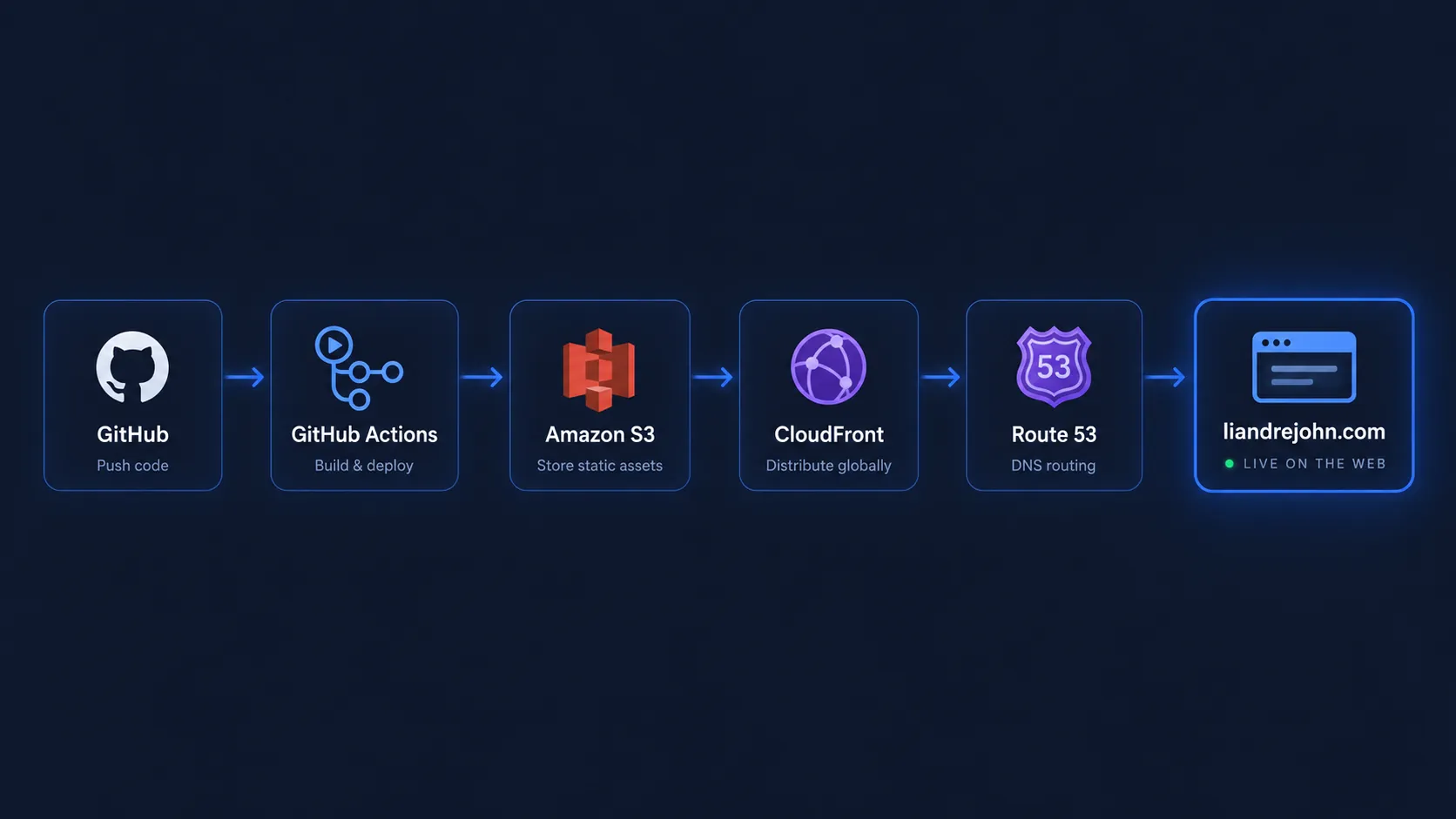
No servers. No containers. No Terraform. Just a small AWS stack that does exactly what I need.
1. The Architecture: Keep Static Hosting Actually Static
My portfolio is mostly HTML, CSS, JavaScript, and assets, so running a server would be unnecessary. Instead, the whole site rests on a handful of managed pieces:
Storage
Amazon S3
Stores the built site in a private bucket.
CDN
CloudFront
Serves the site fast and globally, over HTTPS.
DNS
Route 53
Points the domain at the CloudFront distribution.
HTTPS
ACM
Issues the TLS certificate for the domain and its subdomains.
Deployment
GitHub Actions
Builds the site and uploads it on every push.
Auth
IAM OIDC
Lets GitHub authenticate to AWS with no stored access keys.
There is very little infrastructure to maintain, and most requests are served directly from CloudFront.
2. S3 Stores the Website, CloudFront Serves It
I created a single S3 bucket named
liandrejohn.com, and the deployment uploads the
compiled site straight into it. Visitors never touch that bucket
directly — CloudFront sits in front of it:
That layer is what gives me CDN caching, HTTPS, faster global delivery, and real control over URLs and redirects. It also lets the bucket stay completely private, instead of being exposed as a public S3 website endpoint.
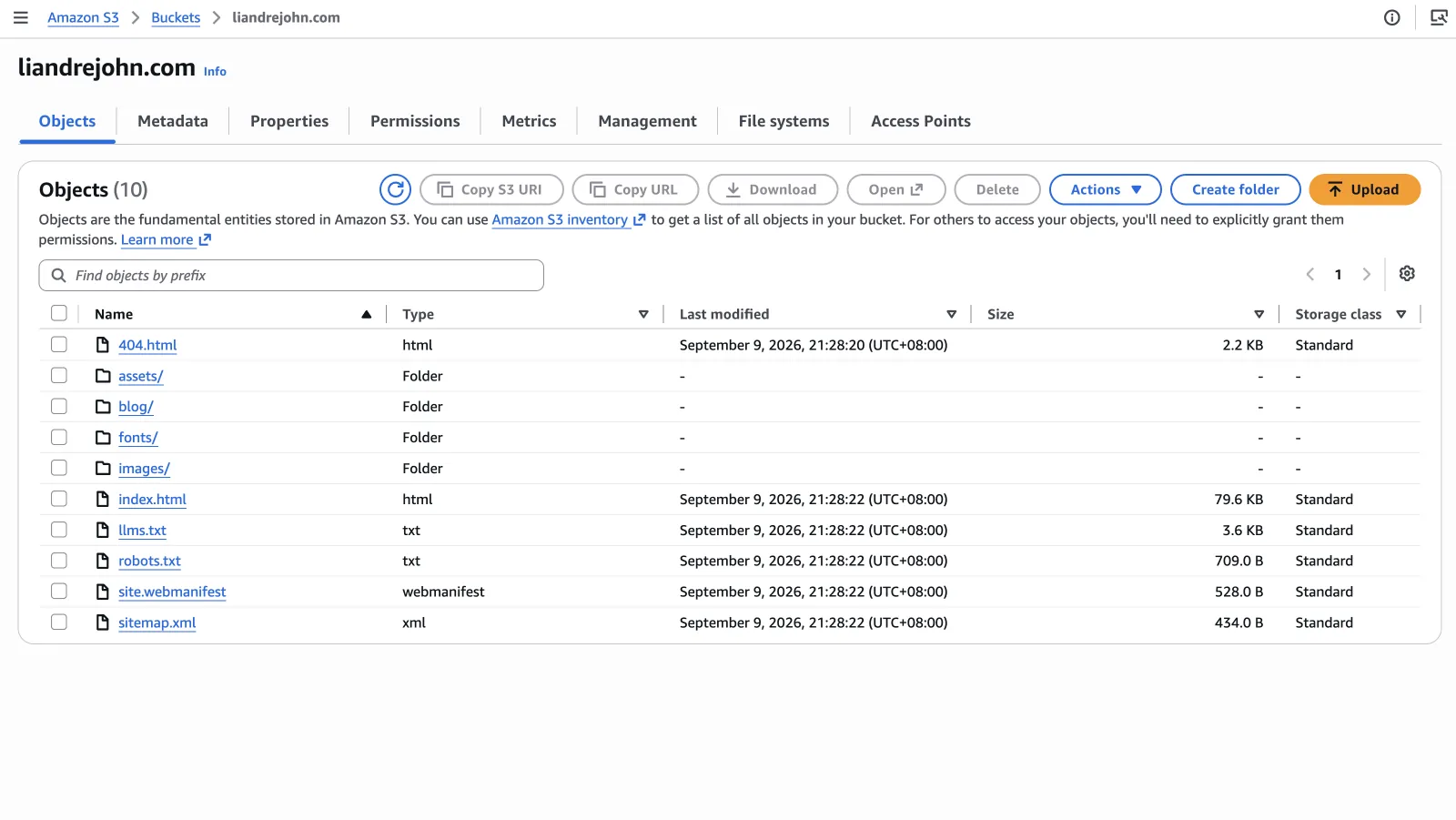
liandrejohn.com bucket — the built site,
uploaded on every deploy and kept private behind CloudFront.
3. HTTPS With ACM
HTTPS is handled by a single AWS Certificate Manager (ACM) certificate that covers both the apex domain and a wildcard:
liandrejohn.com
*.liandrejohn.com
The wildcard matters because I also run small projects on subdomains:
One wildcard certificate covers all of them, so I never have to request a completely new certificate for every experiment or portfolio project.
4. Route 53 Connects the Domain to CloudFront
My DNS is already managed in Route 53, so the domain points straight at the CloudFront distribution:
CloudFront becomes the public entry point for the site. That is important because it gives me one place to handle caching, HTTPS, redirects, and URL behavior.
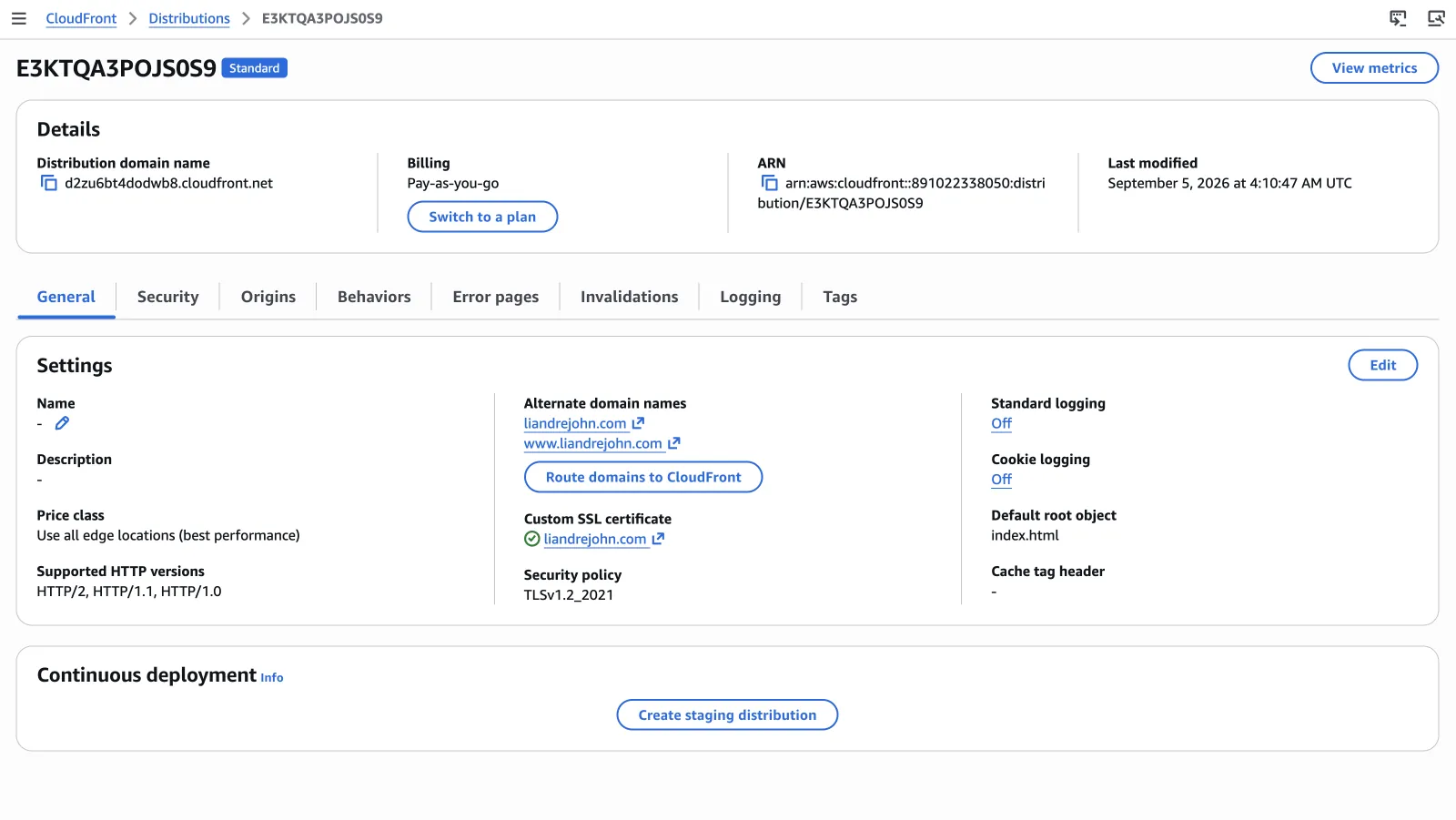
liandrejohn.com and
www.liandrejohn.com as alternate domain names, with
the ACM certificate attached.
5. GitHub Actions Builds and Deploys the Site
I did not want deployment to mean manually uploading files into S3, and I wanted the deployed version to be optimized production files instead of the raw development source. The whole pipeline now runs itself:
A lightweight frontend build tool handles the heavy lifting:
- minifying JavaScript
- minifying CSS
- processing HTML
- optimizing production assets
- generating a clean
dist/directory
So deploying a change is basically one command:
git push origin mainGitHub Actions builds the project and syncs only the production output to S3. It sounds like a small improvement, but it completely changes the workflow: the repository becomes the source of truth, instead of whatever happens to currently exist inside the S3 bucket.
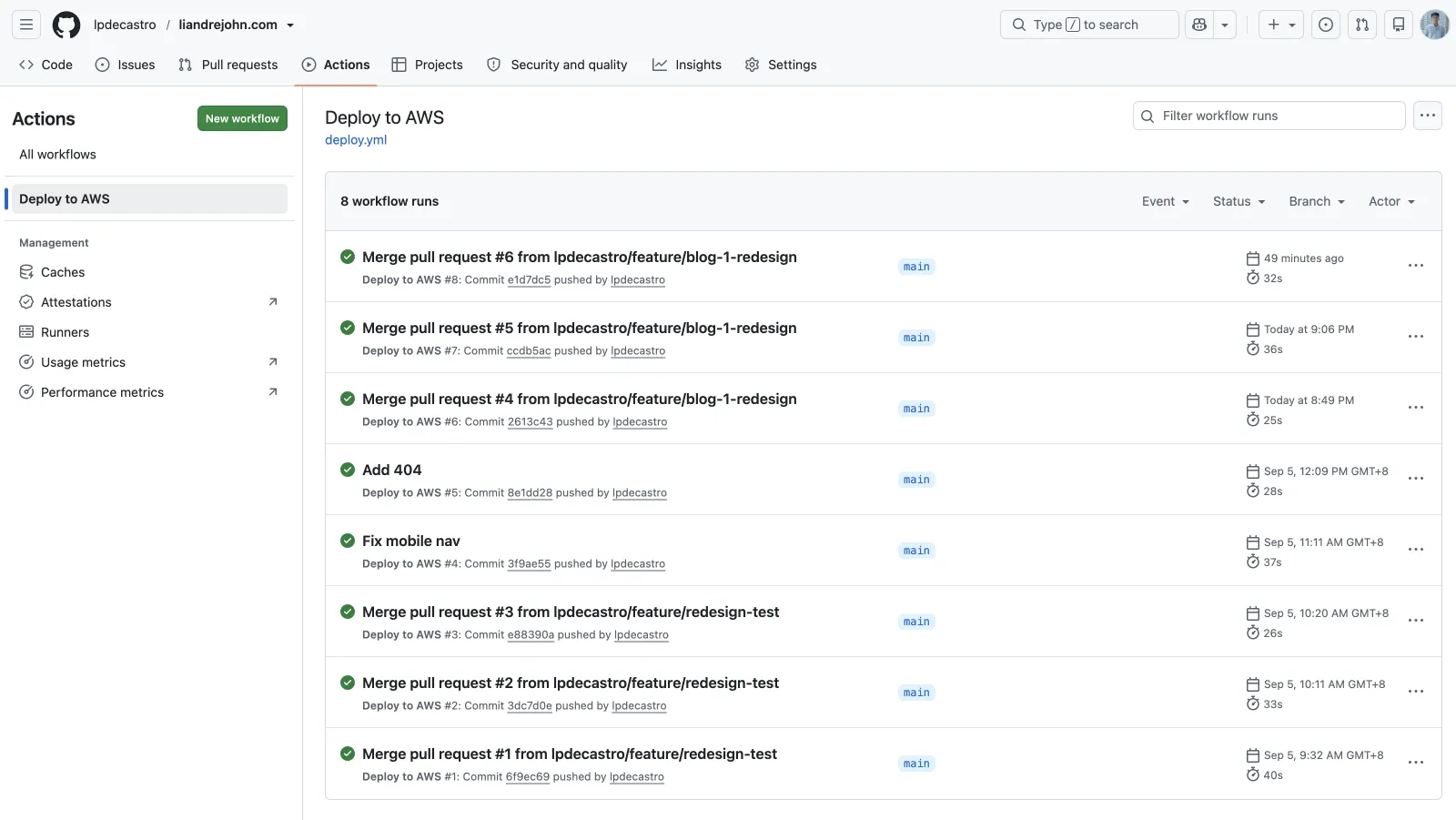
Deploy to AWS workflow — every push to
main builds and syncs the site, each run finishing
in well under a minute.
6. I Used IAM OIDC Instead of AWS Access Keys
One thing I specifically wanted to avoid was storing long-lived credentials like these in GitHub:
AWS_ACCESS_KEY_ID
AWS_SECRET_ACCESS_KEY
Instead, GitHub Actions authenticates to AWS using OpenID Connect (OIDC):
My GitHub repository only needs non-secret configuration such as:
AWS_REGION
AWS_ROLE_ARN
S3_BUCKET
There are no long-lived AWS credentials sitting inside GitHub Secrets. This was slightly more work to configure initially, but it is a much cleaner deployment model.
7. Clean URLs With CloudFront
Static hosting introduces an interesting URL problem: the real S3 object and the URL I actually want to expose do not match.
The real S3 object for my sister post, How I built my portfolio with Claude Code, might be:
/blog/how-i-built-my-portfolio-with-claude-code.htmlBut the public URL I want is:
/blog/how-i-built-my-portfolio-with-claude-code
I do not want both versions indexed, because that can create
duplicate URLs for the same content. I also picked
https://liandrejohn.com as my canonical domain,
instead of https://www.liandrejohn.com.
CloudFront handles both problems with a single small viewer-request function.
For .html URLs, it rewrites and redirects:
A request for /blog/my-article can internally
become /blog/my-article.html without changing the
URL the visitor sees — and if someone explicitly visits
/blog/my-article.html, they are redirected back to
/blog/my-article.
The same function also redirects the www host to
the apex domain:
So any non-canonical URL collapses to a single address:
The goal is simple: one public version of every page.
Now my canonical URLs, internal links, sitemap, and browser URLs all agree.
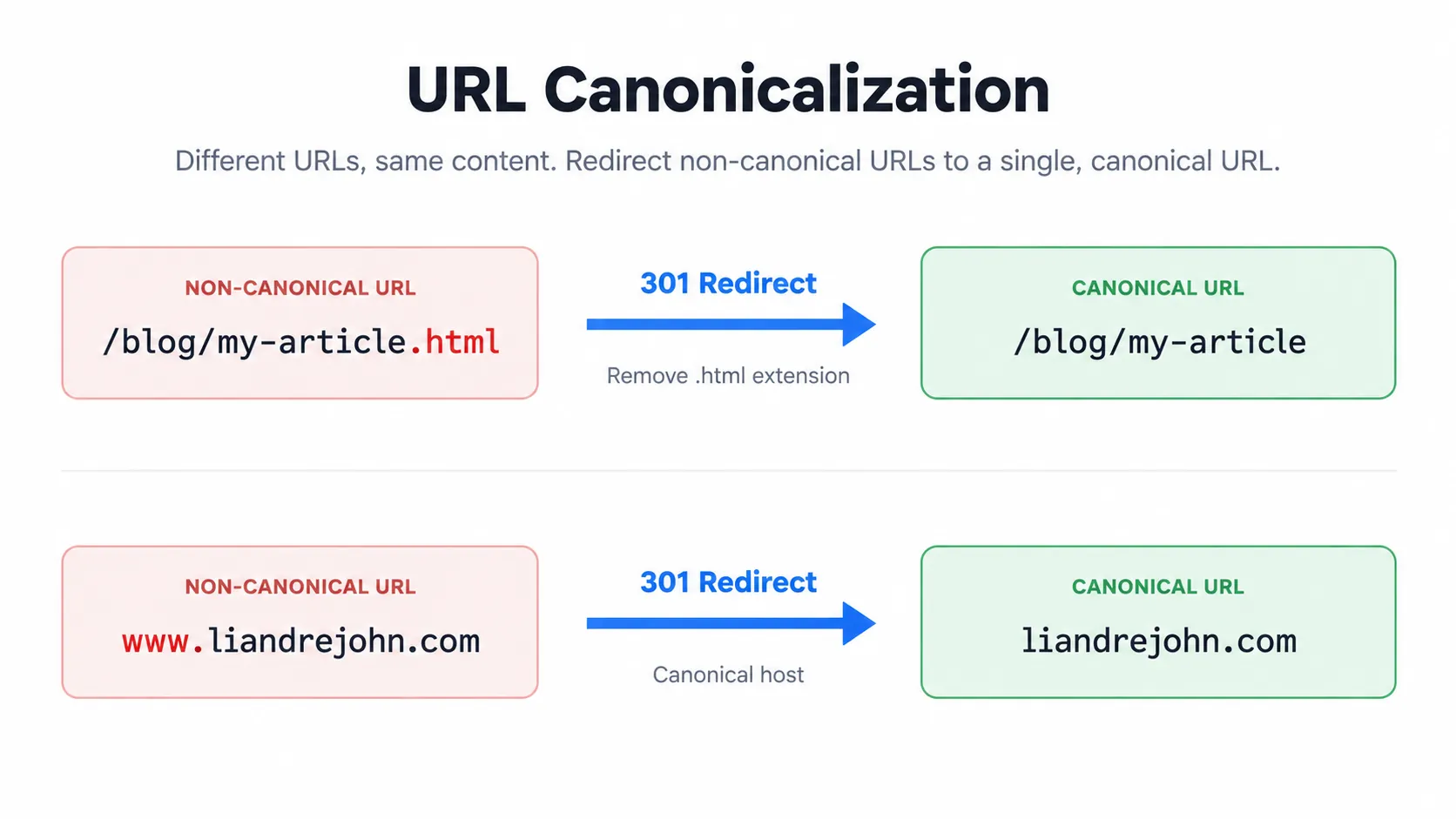
.html version, the
www host — 301-redirects to one canonical URL.
8. The Final Deployment Flow
Put together, the whole system is now:
Developer
   │
   ▼
git push
   │
   ▼
GitHub
   │
   ▼
GitHub Actions
   ├── install dependencies
   ├── build production site
   └── assume AWS IAM role through OIDC
            │
            ▼
          S3
            │
            ▼
       CloudFront
            │
            ▼
        Route 53
            │
            ▼
liandrejohn.comThere are more sophisticated ways to deploy a website. I could manage everything with Terraform, add multiple environments, implement advanced cache-control rules, or introduce a full deployment platform. But that was not the goal.
And for a static portfolio, this architecture has been more than enough.
9. What I Learned Deploying a Static Site to AWS
The biggest lesson was that deployment is not just about getting files onto the internet. A good setup answers a handful of important questions — and the answers do not need to be complicated.
Where does the site live?
Amazon S3.
Who actually serves it to visitors?
CloudFront.
How does HTTPS work?
ACM provides the certificate.
How does the domain reach the site?
Route 53 points to CloudFront.
How do deployments happen?
Push to GitHub; GitHub Actions builds and uploads the site.
How does GitHub authenticate to AWS?
IAM OIDC, without long-lived access keys.
What is the canonical URL?
https://liandrejohn.com.
What happens to www?
It redirects to the non-www domain.
What happens to .html URLs?
CloudFront redirects or rewrites them to clean URLs.
Once I could answer those questions clearly, the infrastructure stopped feeling complicated.
The result is a small stack where every service has one obvious job.
10. What I'd Add to the AWS Deployment Next
My current setup is intentionally simple. The next improvements I would consider are:
But I would add them only when the project actually needs them.
That has become one of my favorite rules when working with cloud infrastructure:
Thanks for reading. If you're hiring or planning a cloud deployment, I'd be glad to talk it through.